
Within each Blueprint, there is a dedicated permissions page for child events, allowing you to set exactly which controls are available to non-admin fundraiser owners.
This provides flexible, granular access control for organization Admins managing large campaigns.
To access this page within a Blueprint, follow the steps below:
-
From anywhere on your CrowdChange site, click Profile → Admin in the top right corner.
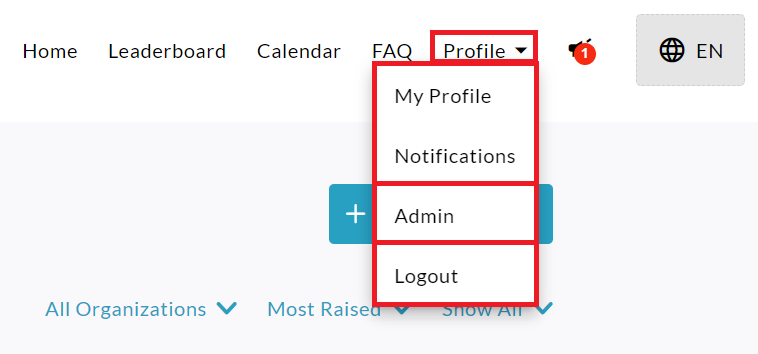
-
On the left sidebar, click Blueprints.
Unknown Attachment
-
Click on the specific blueprint.
Unknown Attachment
-
Click Child Events Permissions on the bottom-left within the Blueprint dashboard.
Unknown Attachment
-
On the Child Events Permissions page, you will be able to set the access controls.
Unknown Attachment
-
When you are finished adjusting the settings, click Save.
Unknown Attachment
Please Note:
Setting to Anyone means that fundraiser owners will be able to change it.
Setting to Admin means only site Admins will be able to change it.
Setting to No one means no one will be able to change it.