
CrowdChange allows organizations to let their donors cover the transaction fees associated with their donation or purchase, ensuring that 100% of the donation goes to the organization.
This fee is usually a small percentage of the overall donation value, and we find that 93% of the time, given the option, a donor will choose to cover the fees. This structure however can sometimes discourage higher value donations as these fees scale alongside donation value.
CrowdChange is equipped with a Cap Covered Fees feature in order to limit the maximum amount that a donor would have to pay. The difference in fees would then be covered by the organization.
For example, if a donor were to donate $100, the associated transaction fees are likely to be around $8.00 (this rate varies from site to site depending on credit card type and CrowdChange contractual agreement). Organizations have the option to set this fee at a lower maximum limit, for example, $5.00. In this example, a donor could only pay a maximum of $5.00 regardless of donation size, with the remaining balance ($3.00) being taken out of their donation to cover the associated fees. This would mean that $97.00 would go directly towards your cause, as opposed to $92.00 if your donor did not cover any fees.
To use the Cap Covered Fees feature, please follow these steps:
-
Go to your CrowdChange site and log in to your administrator account.
-
In the top right-hand corner of your screen, click on Profile → Admin
-
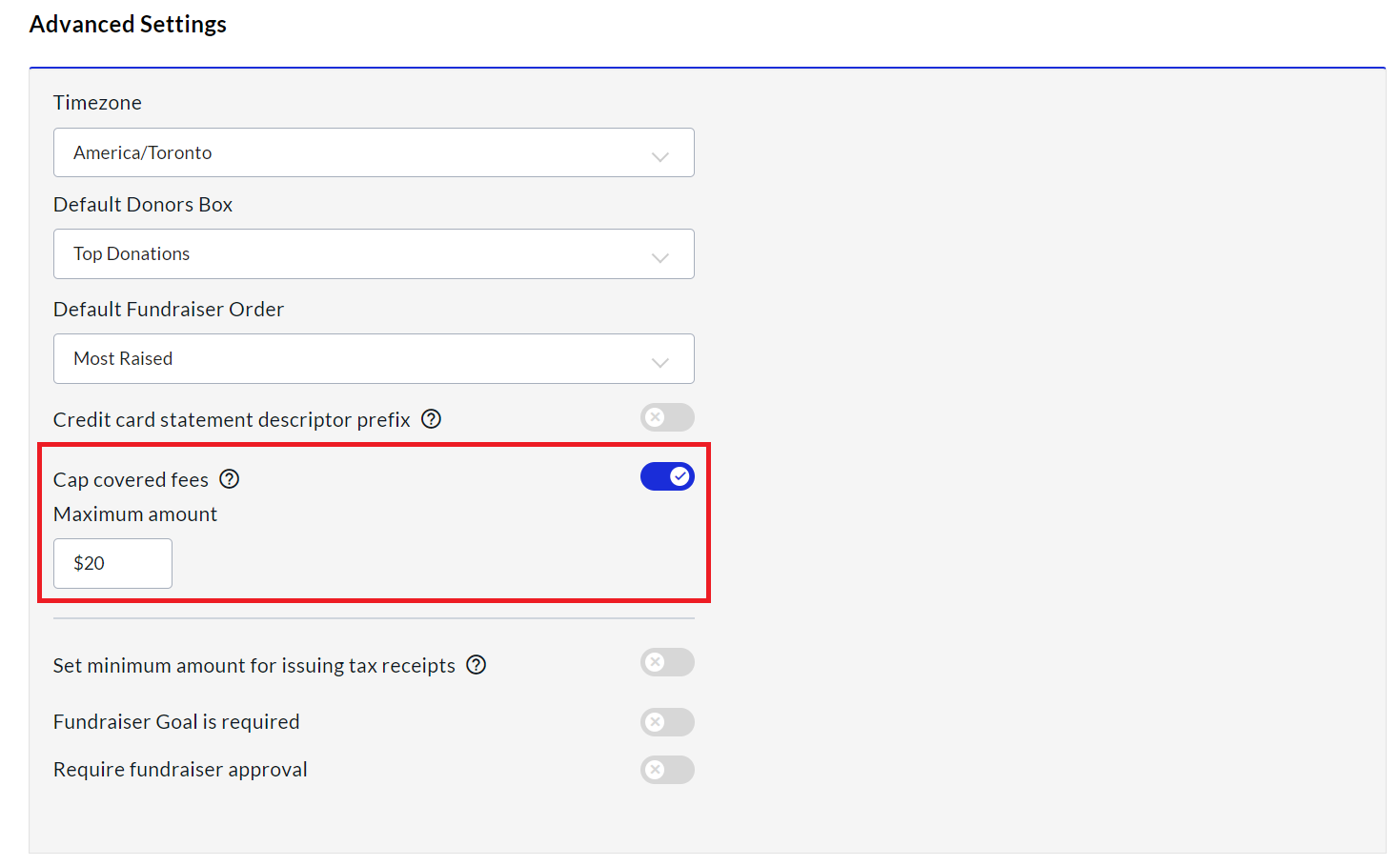
This will bring you to the General Settings screen. Toggle on Cap Covered Fees and this will then prompt you to enter a Maximum Amount that your donors will be able to cover if they choose to do so. Click Save at the bottom of the page to apply your changes.
Please note that the Cap Covered Fees feature takes effect across your entire CrowdChange site, and will be applied to all fundraisers at once.