
If a personal or team page owner attempts to send a Mailing List campaign to over 100 recipients simultaneously, this campaign will be flagged for Admin review and approval before it can be sent out.
Please Note: If the user’s attempted message is approved, they are marked as approved in our system and will not be flagged again when sending a message to more than 100 recipients.
Additional limits in place which would trigger the approval process are indicated in this article.
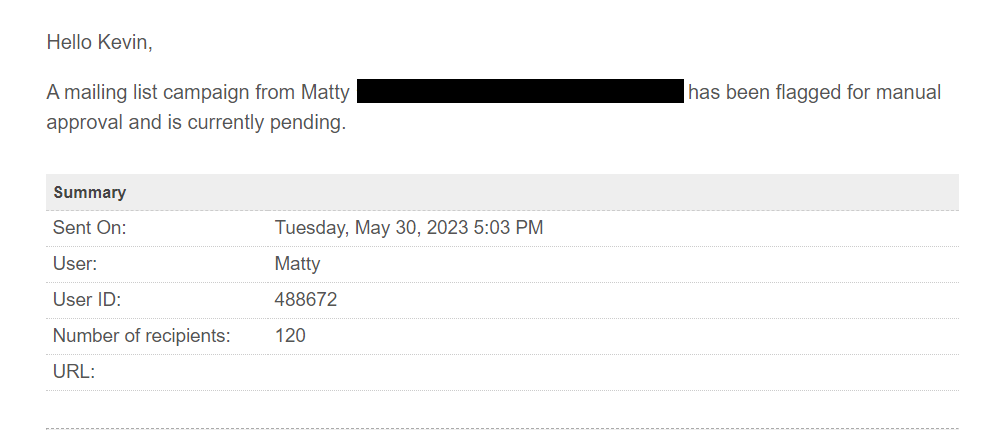
An email notification will be sent to site Admins with two options - Approve or Reject, so they can act on the email immediately without needing to go to the site. Here is what the email will look like:

If desired, they can also go to Admin > Reports > Mailing List Approval and approve or reject from there.
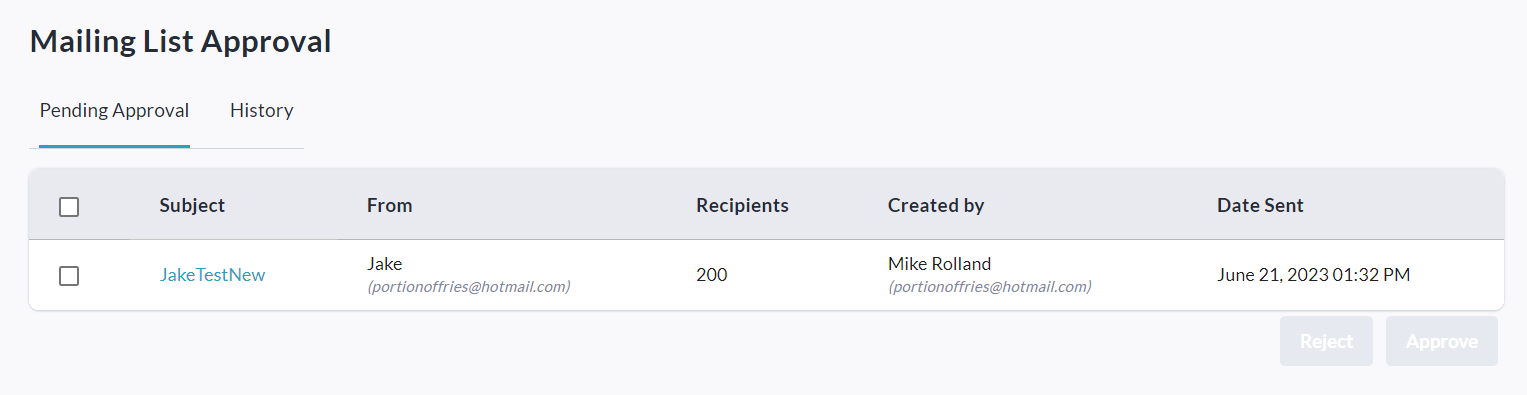
Once on the Mailing List Approval page, two tabs are available: Pending Approval & History.
Pending Approval shows a table with all pending campaigns listed, and by checking the checkbox next to a campaign or multiple campaigns you can access the options to Approve or Reject.
History shows a table with all previously approved or rejected campaigns listed.
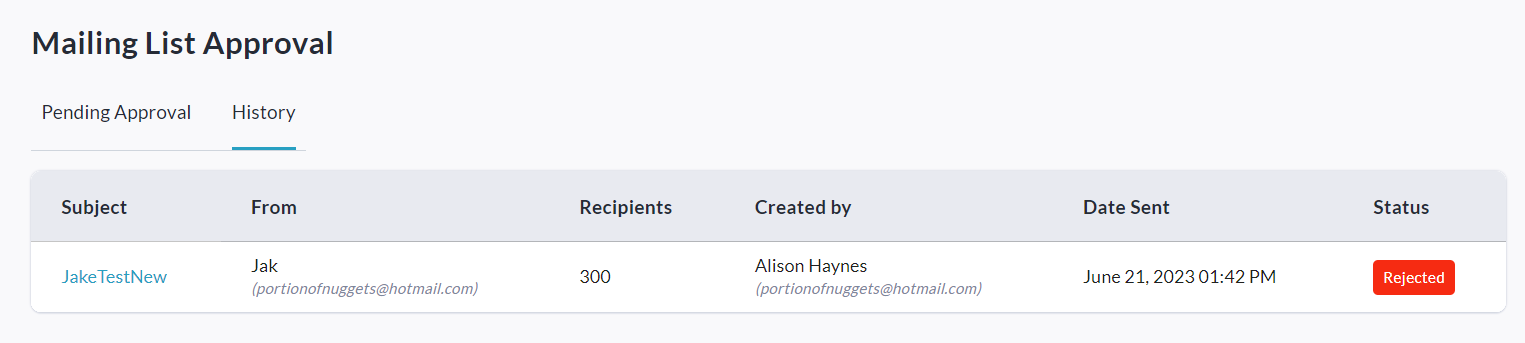
Clicking on a campaign’s name (under Subject) will take you directly to the campaign report.
The status of a pending email campaign will be shown as ‘Queued’ (to both the sender and the Admins) until Admin approval has been granted and it is sent out.