
Overview
Stripe is one of the payment processors that CrowdChange is partnered with.
Stripe Connect platforms collect the required information from users and provide it to Stripe. Every country has its own requirements that accounts must meet for Stripe to be able to pay out funds to individuals and companies. These are typically known as Know Your Customer (KYC) requirements. Regardless of the country, this may include information about the legal entity and personal information about the representative of the business, as well as those who own or control the business.
CrowdChange works with different payment processors depending on the needs of your organization. If you have any questions about which payment processor is right for your organization, don’t hesitate to reach out to your Partner Success Representative to discuss your options.
Stripe Security
Stripe is Level 1 PCI Compliant, which is the most stringent level of security available in the payment processing industry. For context, Stripe has never had a breach of data in the history of their company. They are used by UnderArmour, Unicef, Habitat for Humanity, Lyft, and many more (a full list of charitable clients, as well as non-charitable clients, can be found here: https://stripe.com/customers#nonprofits ).
While CrowdChange itself is also PCI Compliant, all sensitive credit card information is stored with Stripe through tokenization, thus no sensitive credit card information is stored on the CrowdChange platform. The IRS/CRA requires Stripe to collect account owner information to help combat tax fraud, stop donations coming from flagged organizations, and other security concerns.
Please note that this is not something that CrowdChange or Stripe mandate but rather something that is required by government regulators. CrowdChange uses Stripe’s connect accounts to make it easy for charitable partners to collect funds. CrowdChange qualifies as an Account-Based Business Relationship and is therefore required to adhere to KYC rules.
Setting Up Stripe Banking
If your CrowdChange site uses a Central Banking option (all fundraisers on the site use the same bank account), then this can be entered at the site-wide level on the Admin dashboard via the Banking settings → Stripe page.
-
Go to your CrowdChange site and Log In with your admin credentials.
-
Click on Profile then Admin in the upper-right hand corner of your window.
-
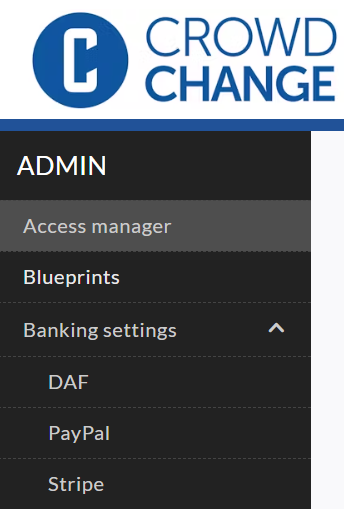
Click Banking settings → Stripe on the left-hand side in the Admin sidebar.
-
Fill out all required fields with your organization, banking and representative information and click Save after completing each section.
PLEASE NOTE: Stripe has the ability to put payments and/or payouts on hold until banking information has been entered & verified on your CrowdChange site to ensure that they are following all rules and regulations.
All organization, banking and representative information must be an exact match to what has been documented by government records / your bank in order for Stripe to approve your account for payments/ payouts. In order to ensure your campaigns run uninterrupted, we recommend entering all required banking fields as soon as possible.
Account settings
Country: The origin country of the connected account.
Account type: The account type you select (for example, individual or company), requires collecting certain information for each account - which Stripe verifies and follows the basic guidelines below:
Individual - Select if you will be using a personal account to collect funds for your organization.
Company - Select if you are an organization with a business tax ID such as Employer Identification Number (EIN).
Non-profit - Select if your organization is recognized as having tax exempt status by the Federal government (for example, 501(c)(3)).
Government entity - Select if you are a branch of the state, local, or federal government of the US.
PLEASE NOTE: The Country & Account Type cannot be changed once confirmed from your Banking settings page.
If you require assistance updating the Account type, please contact CrowdChange support (support@crowdchange.co).
Credit card statement descriptor prefix: Prefix appears on credit card statements along with the event name. The shortened statement descriptor must be similar to your Full statement descriptor, legal name, or business website. Must be between 2 and 10 characters, containing at least one letter.
Full statement descriptor: Your statement descriptor must be similar to your legal name or business URL and consist of 5 to 22 characters.
Business Website: Must be a reachable, unique URL that describes the account's business. If you have an official website, enter it here. Otherwise, use your CrowdChange site URL.
Merchant category: Selecting your industry helps satisfy risk and compliance obligations.
Product description: Provide a description of your business. Must be at least 10 characters long.
Business information
Business name: The combination of the legal business name and Employer Identification Number (EIN) must exactly match what is listed on IRS documents, including capitalization and punctuation.
Business phone number: Your phone number is required to be in the country of your account.
Business number / Tax ID or EIN: 9 Digit Employer Identification Number (EIN). If the connected account uses a Social Security number for business tax purposes, you can enter that instead.
Business address: This can be a home address if there is no business address.
Representative Information
This connected account needs to be activated by a person, known as a representative, with significant responsibility to control, manage, or direct the organization; and is authorized by the organization to agree to Stripe’s terms.
First & Last Name: Enter your full name exactly as it is recorded with government agencies (e.g. IRS).
Date of Birth: MM / DD / YYYY
SSN *: Last 4 digits of Social Security number. *Stripe is required to collect this information to satisfy regulatory obligations.
PLEASE NOTE: If the last 4 digits of SSN fail verification, representatives will need to provide the full 9 digits. Full 9 digits required once payment volume exceeds $500K.
If the full SSN fails verification, representatives will need to upload an ID document to verify the account.
Home address: Street Address, City, State / Province, ZIP / Postal Code
Phone number: Your phone number is required to be in the country of your account.
Email: Primary contact email address for the account representative.
Job title: E.g. CEO, Manager, Partner.
If Stripe is unable to verify the representative, you may need to provide additional ID documents, for example, a scan of a valid government-issued ID, a proof of address document, or both.
Banking Information
Payout schedule: Daily or Weekly payouts. Select Weekly to set day of week funds will be paid out to your account.
PLEASE NOTE: Stripe processes all donations on a seven-day rolling basis, meaning that a donation is processed one week after it is received by your fundraiser. After a donation is processed it will be deposited directly into your bank account depending on the payout schedule that you selected when setting up your banking (weekly or daily payouts).
Country: The origin country of the connected bank account.
Account type: Bank account classification. Must be a checking account.
Account holder name: Name of the account holder.
Routing number: 7-12 numbers depending on your bank.
Account number: 7-12 numbers depending on your bank.
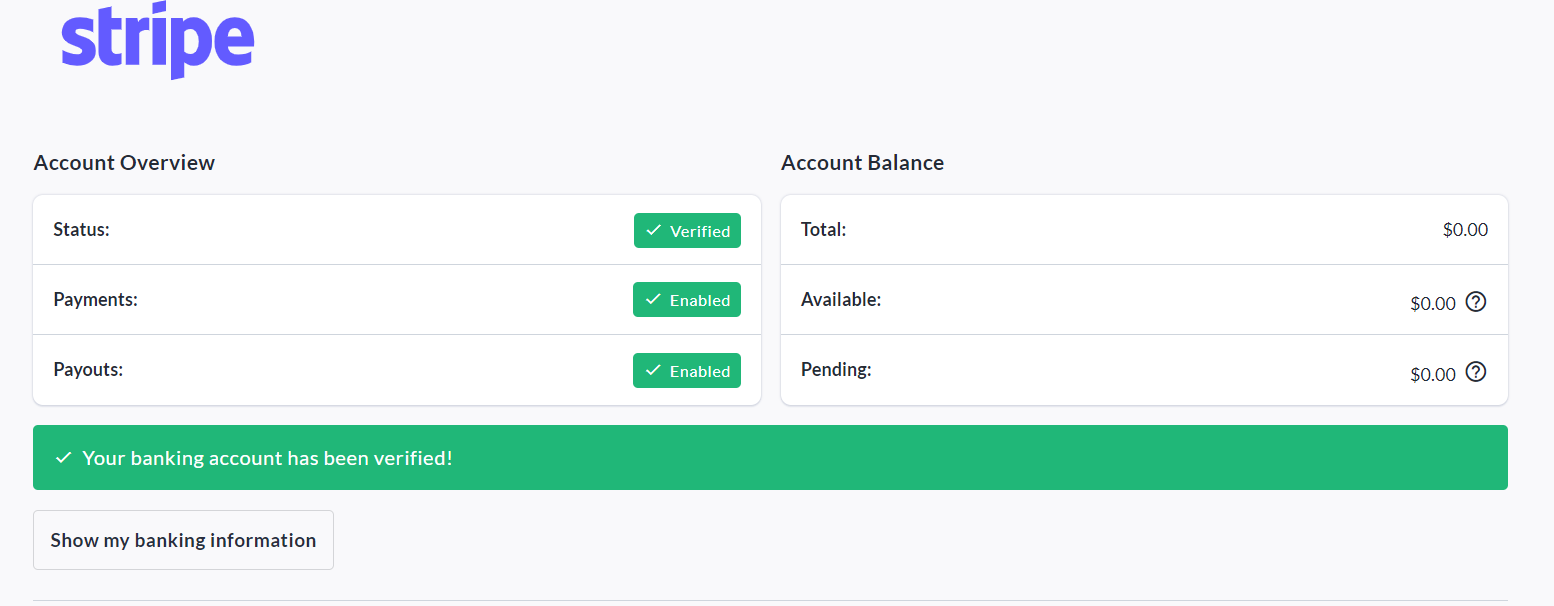
Verification can take Stripe from a few minutes, to a couple business days to complete, depending on documents provided.
Looking for Support?
Having issues with your banking setup? CrowdChange Support would be happy to investigate for you!
Simply click the blue Help button in the bottom right corner of this page, fill out the details, and our support team will get back to you as soon as possible!