
We offer some useful management options for P2P pages at the Admin/Site level.
These controls allow you to set exactly what functionality your team and page owners should have access to.
They can be accessed from your Admin Dashboard, and any changes made will affect all Personal and/or Team pages across your site. To access these controls, follow the steps below:
-
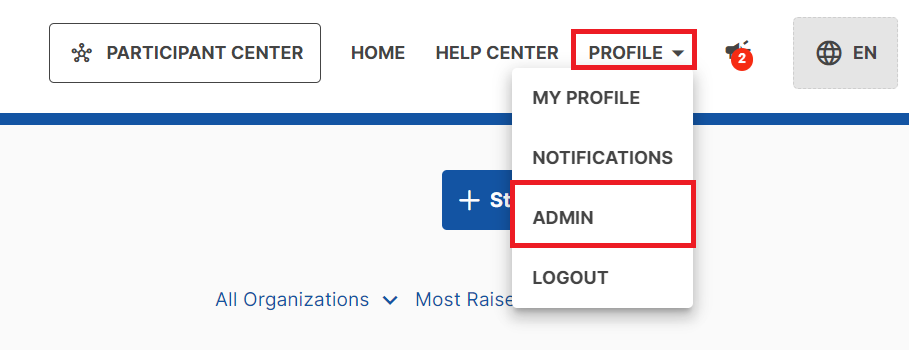
From anywhere on your CrowdChange site, go to Profile → Admin in the top right corner.
-
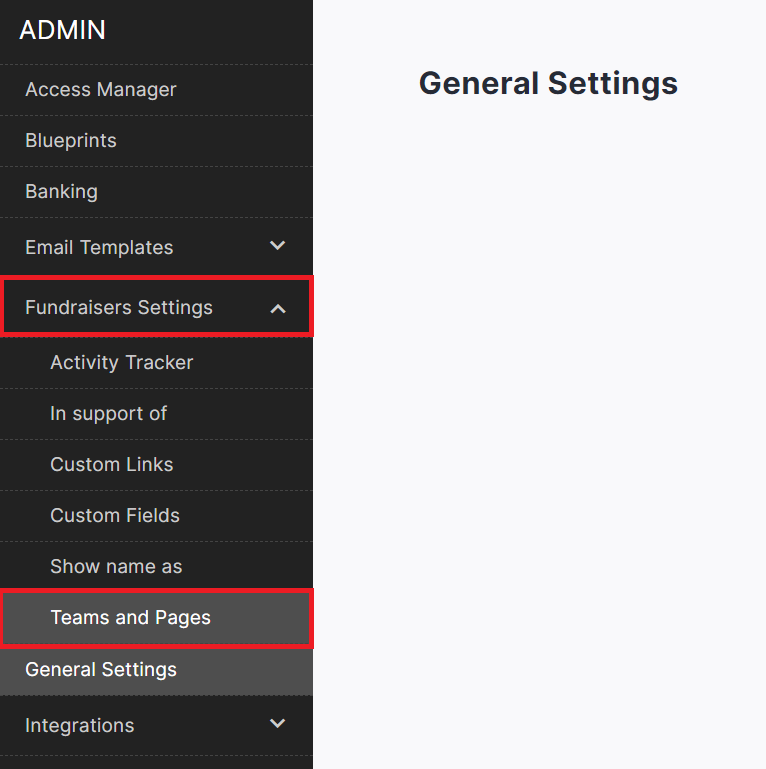
On the left sidebar that appears, click Fundraisers Settings, then Teams and Pages.
-
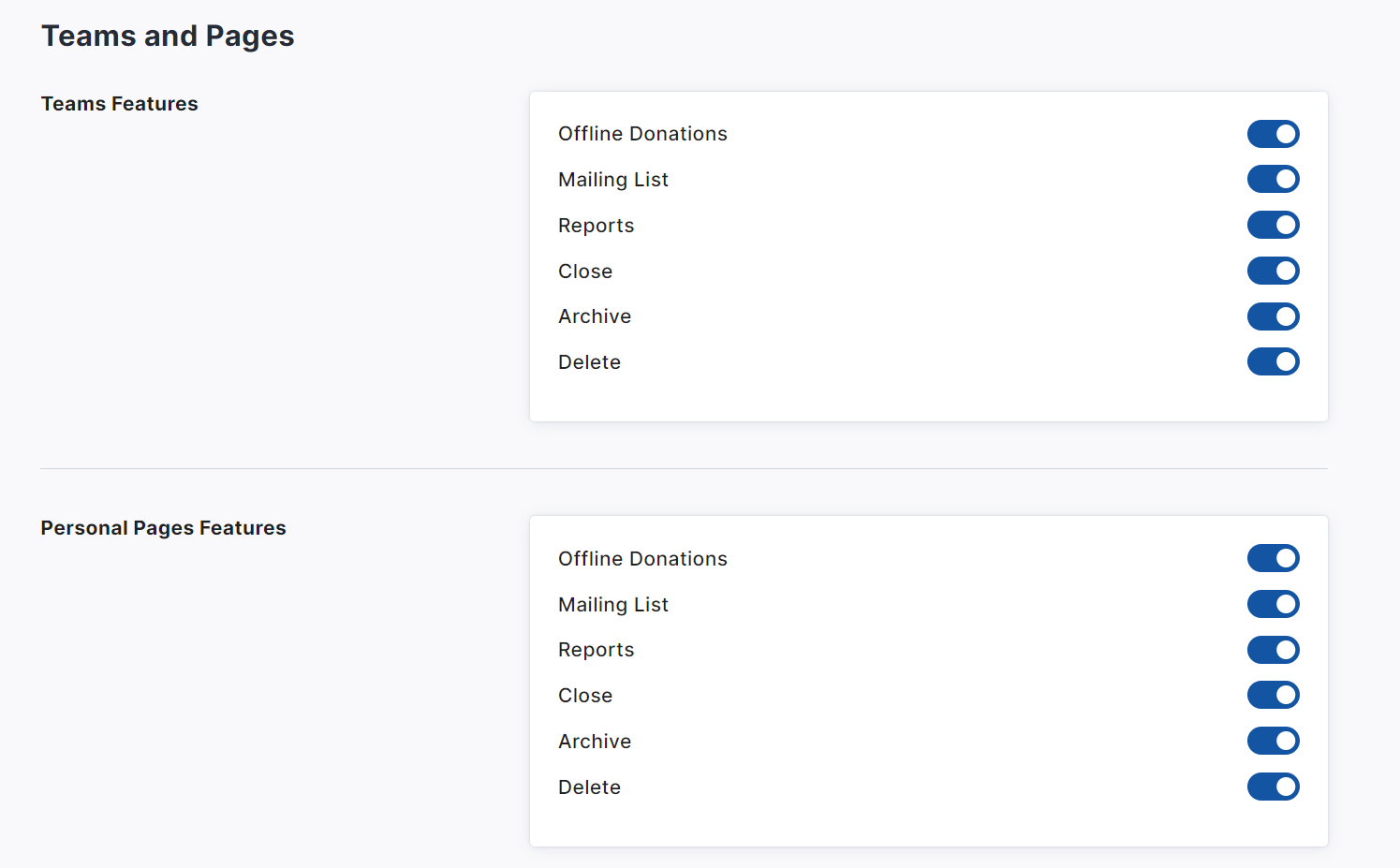
From here you can enable or disable specific features of Teams and/or Personal pages.
-
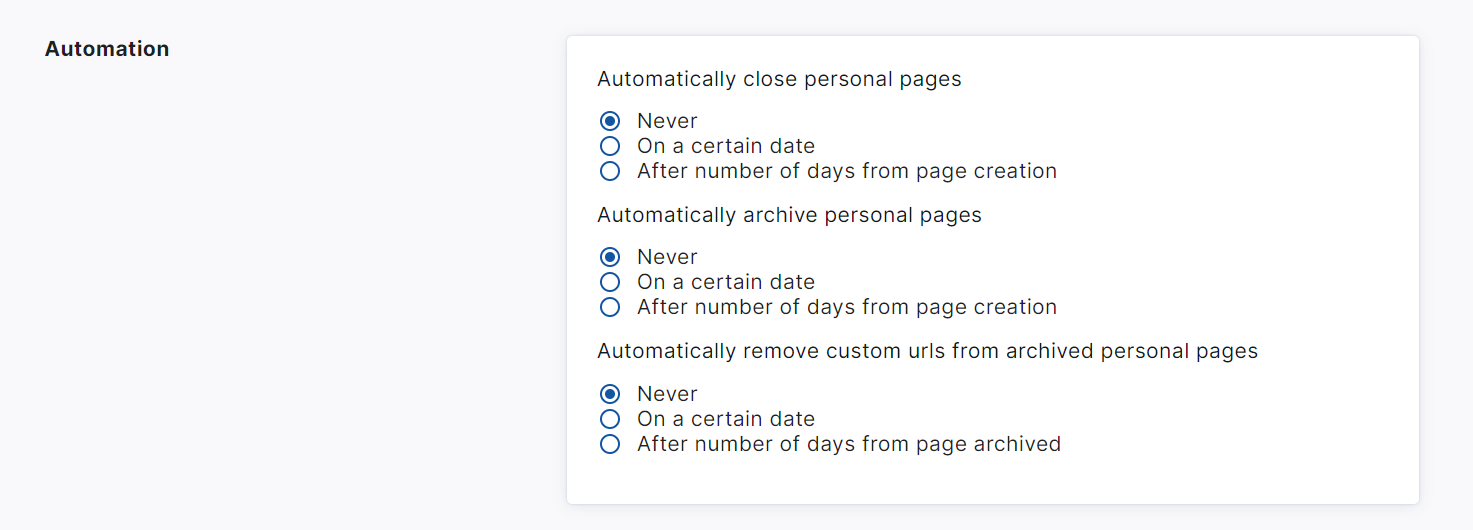
Additionally, you can enable automation settings to auto-close, auto-archive and auto-remove custom URLs for Personal Pages on a certain date or after a certain number of days.
-
Ensure to click Save at the bottom when ready to apply changes.
