
CrowdChange offers the ability for fundraiser hosts to set a Minimum Fundraising Goal & Commitment amount tied to Registrations - this means that participants who register with personal fundraising pages commit to raising their goal amount (no less than the minimum set by the fundraiser host), and if this fundraising commitment is not met, they are charged the shortfall.
How this feature works
This feature allows you to set a minimum fundraising goal for a registration tier.
It also allows you to collect Credit Card information to later charge your participants the value of any shortfall in their fundraising (at the end of the campaign).
The ability to track fundraising progress and charge registrants for their shortfall is available in the accompanying Admin Registration Commitment Report.
How to enable it
Please Note: This feature is NOT enabled by default - Reach out to your Partner Success Representative today to discuss how it can benefit your campaign!
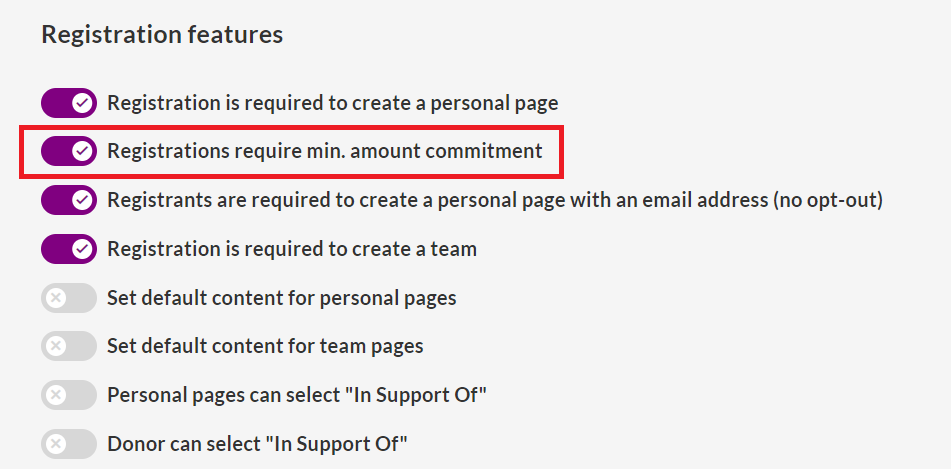
Once the feature has been enabled on your site, go to your fundraiser’s settings and toggle on Registrations require min. amount commitment under the Registration features section:
Scroll down and click Create Fundraiser, then go to your fundraiser and click Manage Fundraiser → Purchase Options → Registration to create a registration tier.
If an existing registration tier had already been purchased, you would not be able to add this feature (since registrants were not required to use a minimum goal, and did not see any text regarding minimum commitments when they registered).
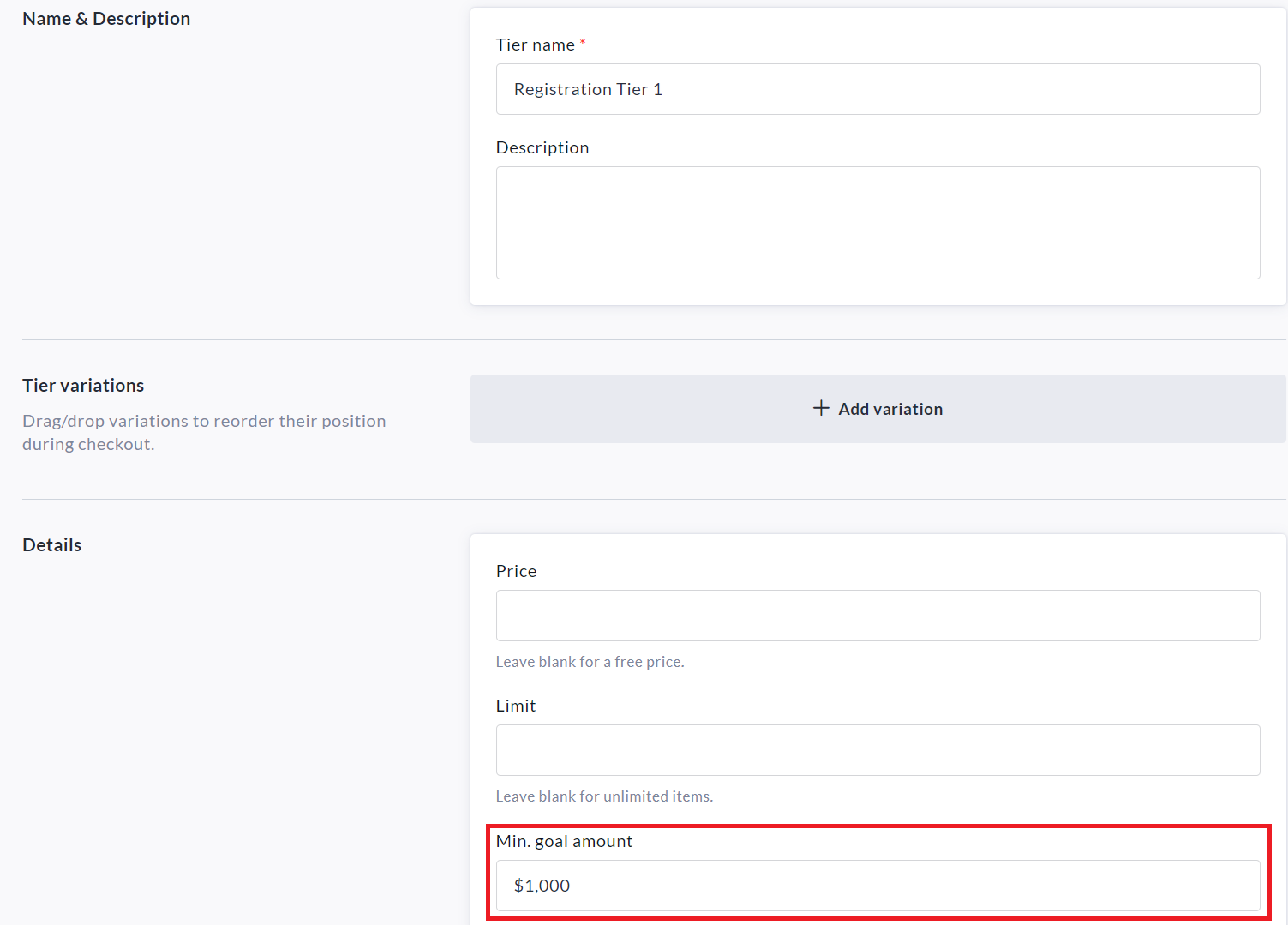
Create a new registration tier, and enter your minimum commitment amount in the Min. Goal Amount field.
How this looks for participants
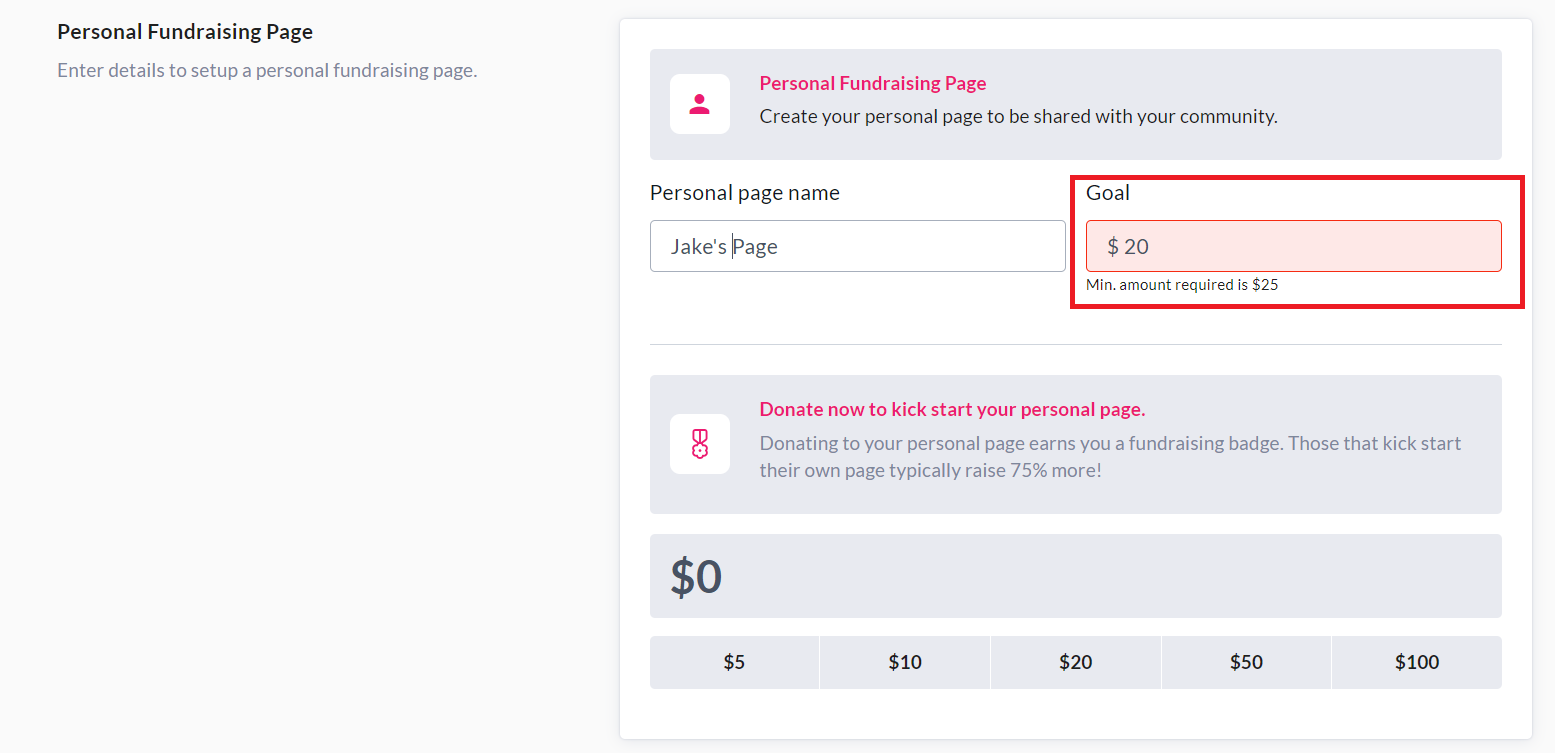
Once a minimum goal amount has been set for a registration tier, it will be applied at registration in the Personal Fundraising Page section. If the user enters a number smaller than the minimum amount, they will be prompted to increase it and will not be able to proceed without doing so.
Registrants will now, based on the registration tier they select, be required to input a goal that meets the minimum amount set by the fundraiser host when the registration tier was created.
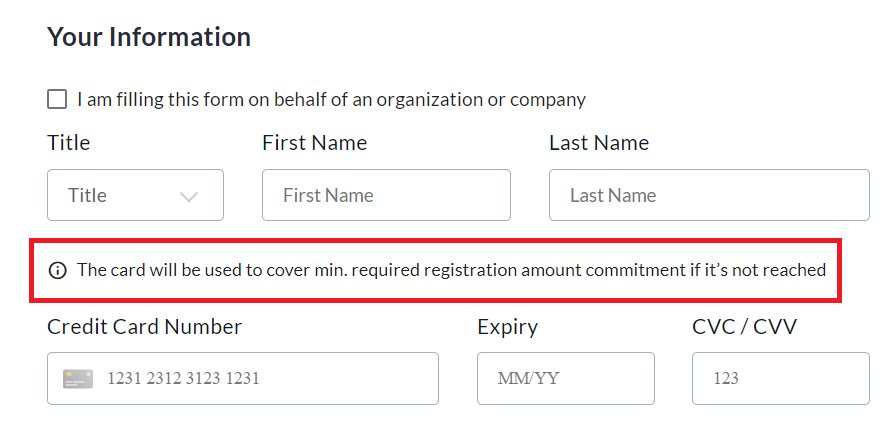
On the checkout page, there will be another message explaining that the credit card entered will be charged any shortfall in funds raised (if the fundraising goal is not reached). With these settings applied, even users who register for free (via a free registration tier or using a promo code) will still need to input a credit card, allowing you to charge the card later for any fundraising shortfall.
Admin Registration Commitment Report
Reporting capability to track the progress of these financial commitments and who will be charged what amount is available within the Admin Registration Commitment Report.
To access this report, simply follow the steps below:
-
From anywhere on your CrowdChange site, click Profile in the top right corner, then Admin.
-
On the left sidebar, click Reports > Registration Commitment Report.
-
Here you can track fundraising progress and charge registrants for any shortfall.