
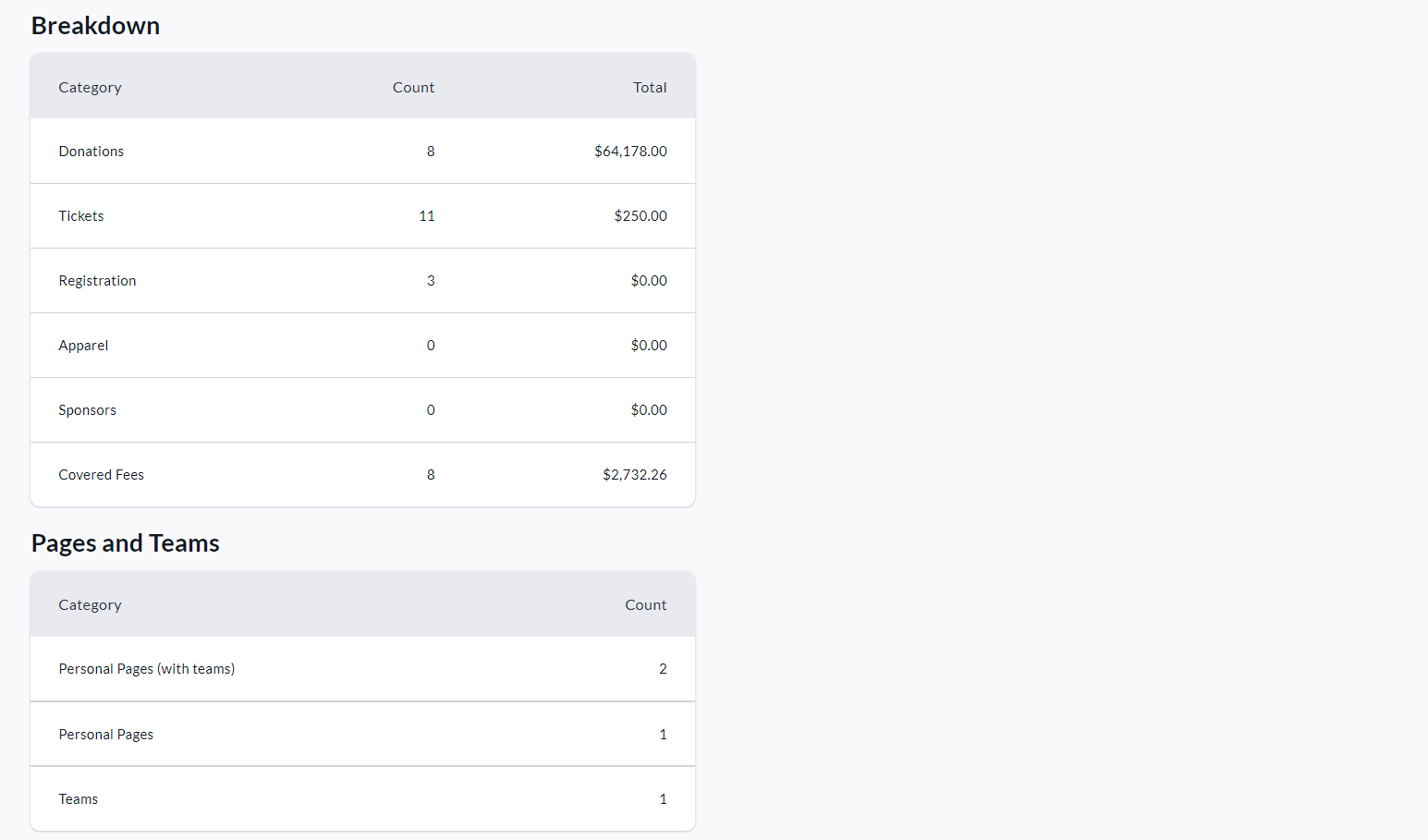
The Admin Summary Report is a high-level breakdown of all transactions and transaction types across your fundraisers, including a count of Personal & Team Pages created.
To access it, follow these simple steps:
-
Go to your CrowdChange site and Log In.
-
Click Profile in the top right corner, then Admin.
-
Go to Reports > Summary Report using the left sidebar. Once there you will see the following sections:
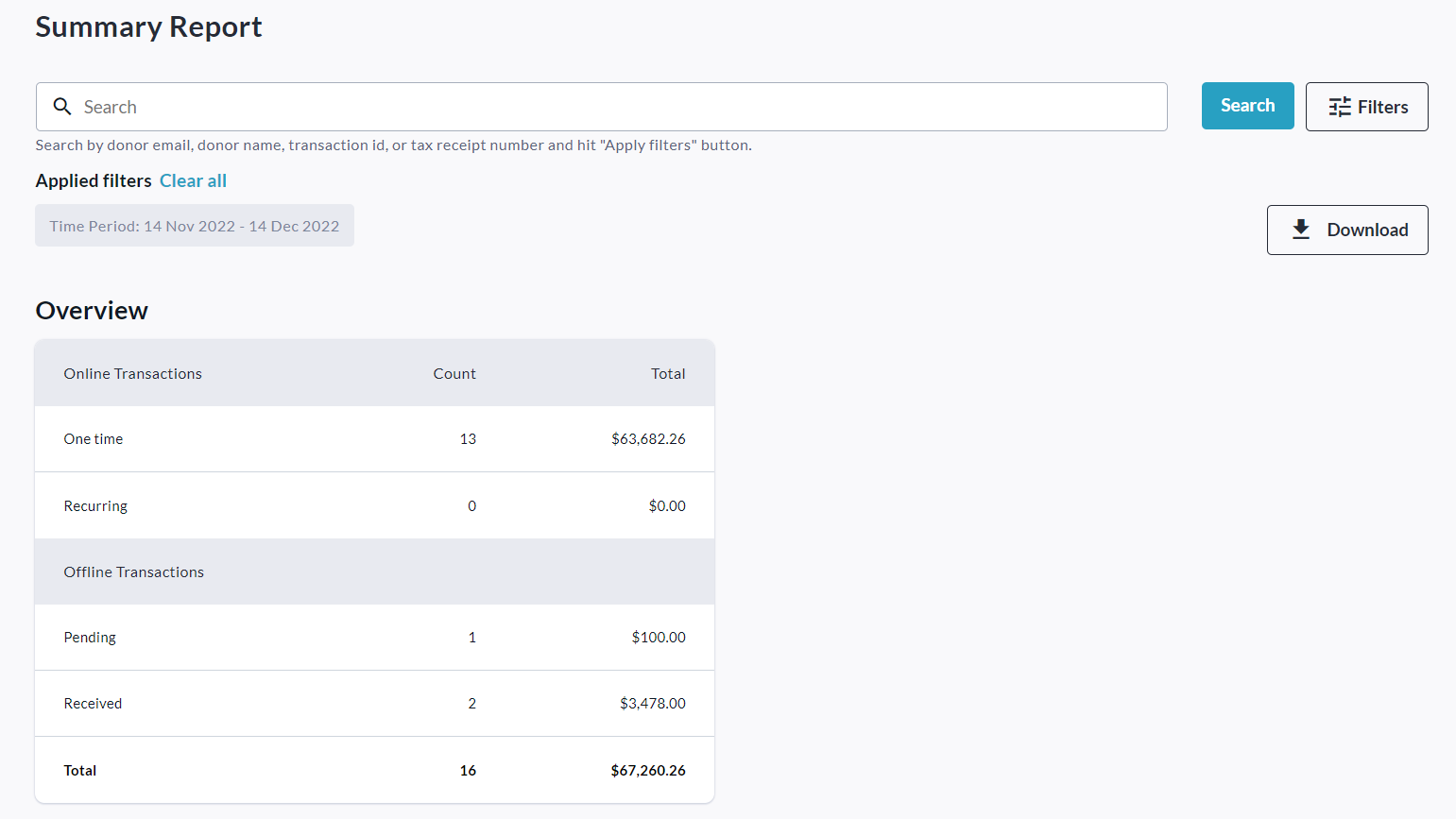
You can filter for a specific date range, organization, subsite and/or fundraiser using the Filters button. To set the date range, click Filters and then the dates under Time Period.
Be sure to apply the filters by clicking the Show results button at the bottom.
Download the Excel version of this report by clicking Download button.