To Close a Fundraiser
-
Go to the fundraiser you would like to close.
-
Click Manage fundraiser in the top-right corner.
-
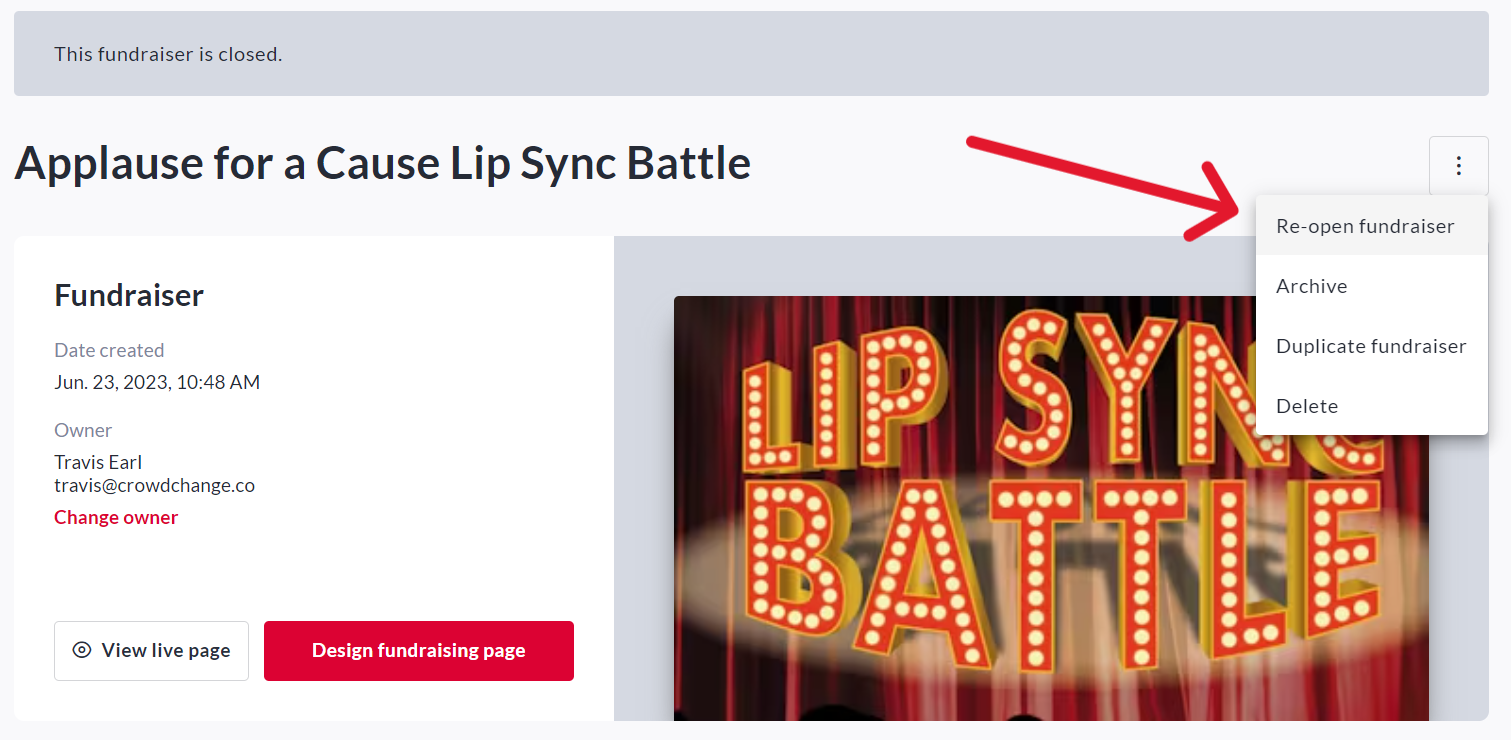
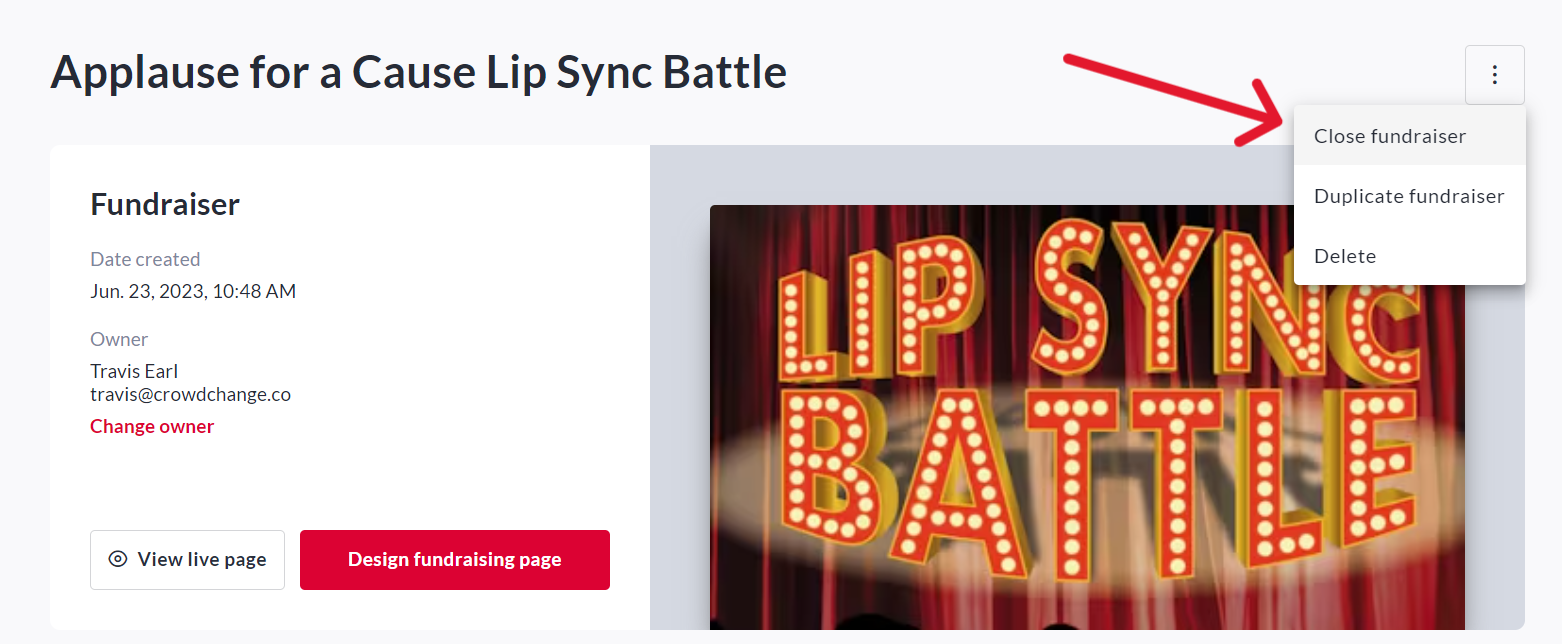
Click the 3 dot menu in the top-right corner then Close Fundraiser → Yes.
This will close the fundraiser and stop it from accepting ticket sales or transactions of any kind.
Even if a fundraiser has been closed, it is still visible to the public.
To make it invisible to the public, only accessible by Admins and those with a link, go to Manage fundraiser, click Additional settings to turn on the Hidden event feature then click Save.
TIP: We recommend leaving your fundraiser open for at least a week after your event date, so that people who couldn’t make it can still donate.
The auto-close date is set on the General settings page under Select when to accept funds → Start / Stop accepting funds on date.
To Reopen a Fundraiser
-
Go to the fundraiser you would like to reopen.
-
Click Manage fundraiser in the top-right corner.
-
Click the 3 dot menu → Re-open Fundraiser → Yes.
This will reopen the fundraiser and allow all transactions to proceed.