
The Activity Tracker is complete with reporting functionality, allowing you to get a bird’s eye view of participant engagement with your campaign’s Activities.
Please note that the Admin Activity Tracker Report is NOT enabled by default and must first be enabled by your CrowdChange Partner Success Representative or Support Agent.
Admin Activity Tracker Report
To view the Admin Activity Tracker Report, follow the steps below:
-
Go to your CrowdChange site and Log In.
-
Click Profile in in the top right corner, then Admin.
-
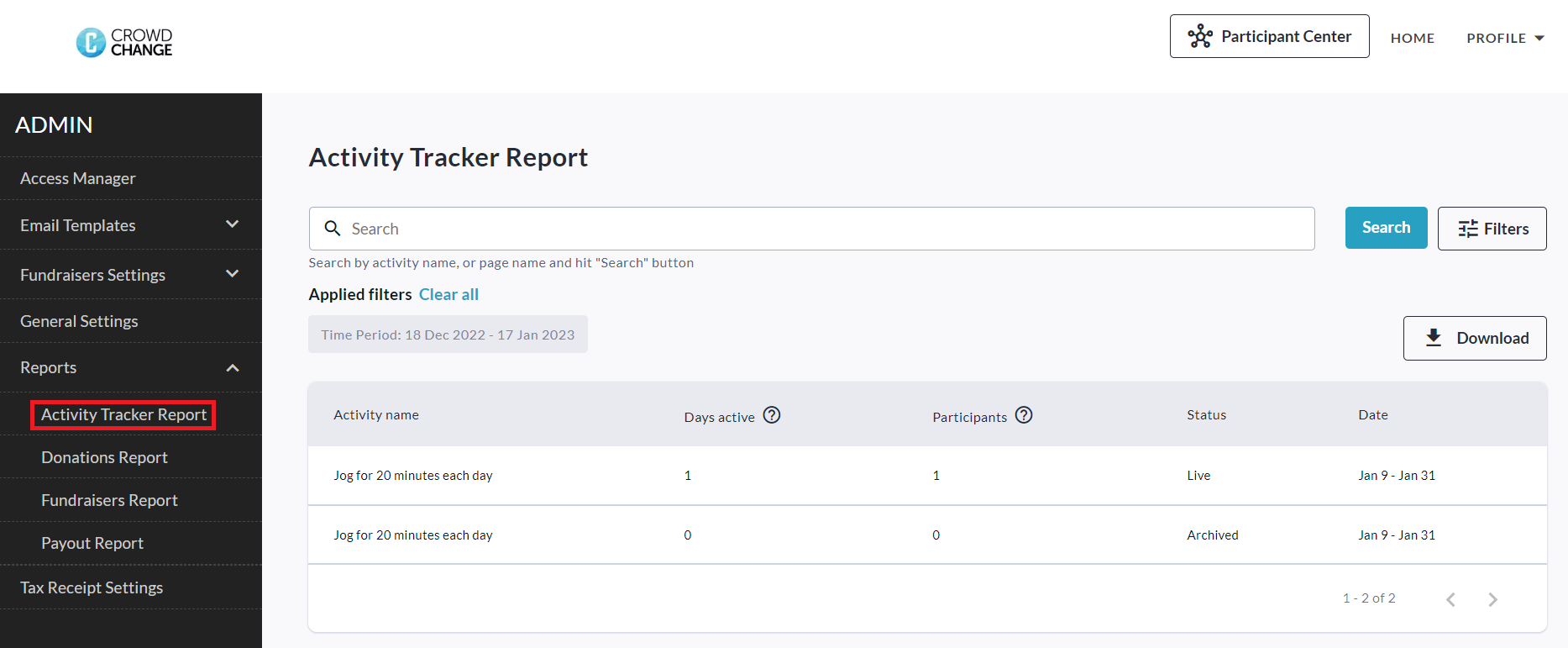
Navigate to Reports → Activity Tracker Report using the left sidebar.
-
If needed, you can then Search and/or Filter for specific activities, and get the Excel version of this report by clicking Download.
The downloaded file will contain a Macro and Micro version of the report.
-
The Macro version displays activity tracking data on an activity-by-activity basis.
-
The Micro version displays activity tracking data on a user-by-user basis.
Fundraiser Level Activity Tracker Report
To view the Fundraiser Level Activity Tracker Report, follow the steps below:
-
From anywhere on your CrowdChange site, Log In.
-
Go to your fundraising page and click Manage Fundraiser.
-
Go to Reports on the left sidebar, then Activity Tracker Report.
-
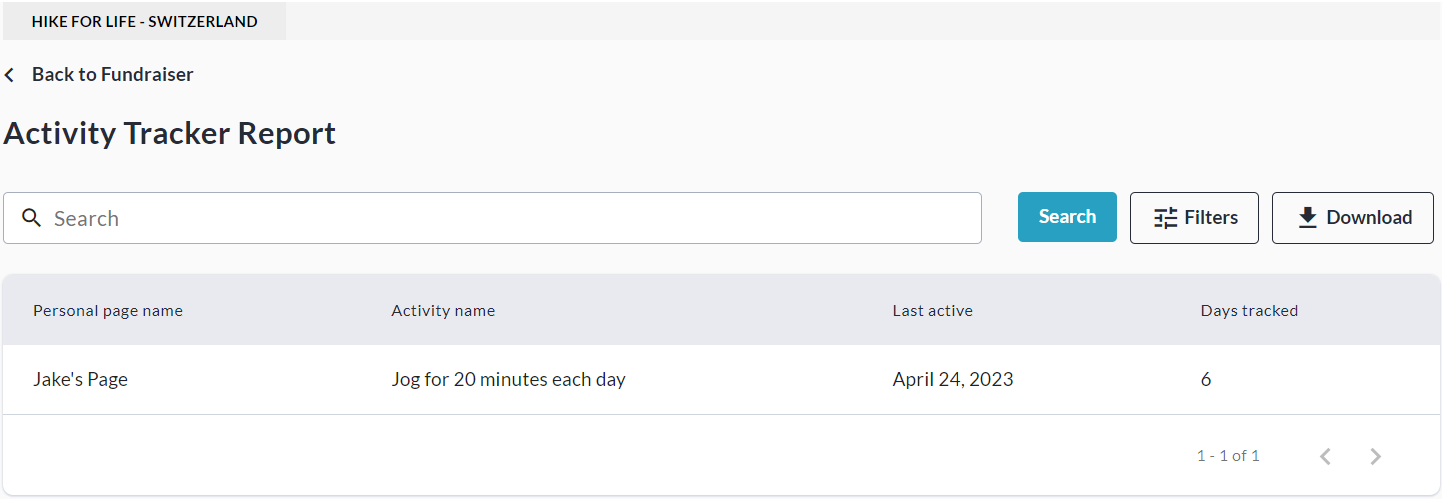
From here, you can Search and/or Filter for specific Activities, and view a simple overview.
-
You may also export this report to Excel using the Download button.
Note that the fundraiser-level version of this report is less detailed than the Admin version.